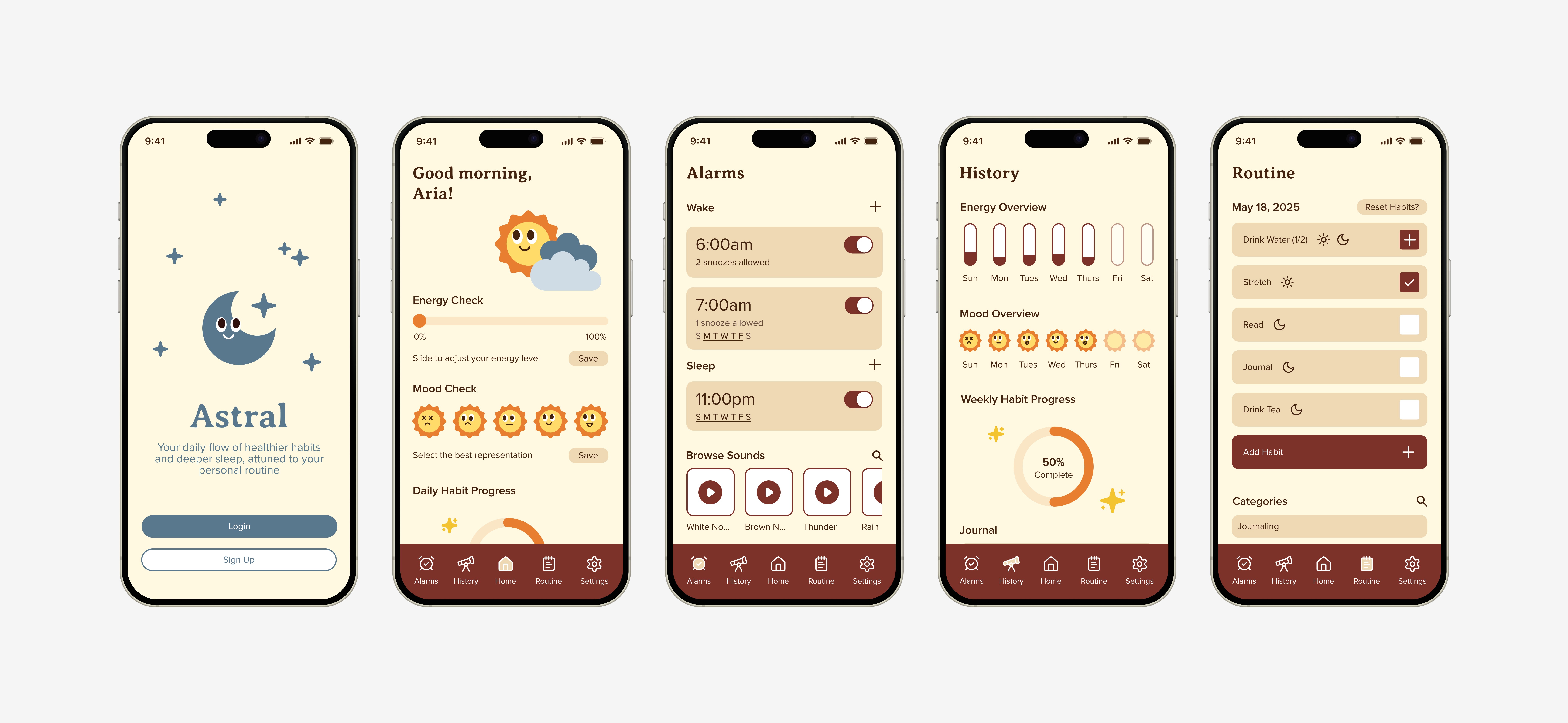
Astral is a holistic sleep health app that provides a daily flow of healthier habits and deeper sleep, attuned to a user's personal routine.
Topic
Holistic sleep health app
Problem
Young adults experience stress, anxiety and irregular sleep patterns due to busy lifestyles. This impacts their moods, productivity and overall well being.
Questions
What are the biggest obstacles that users face when trying to establish relaxing sleep and wake routines?
How do users currently wind down before bed and what do they wish they could improve about that process?
How much guidance/reminders vs. flexibility do users want in creating and upholding a routine?
What motivates users to care about sleep in the first place?
Vision Statement
Create a personalized, relaxing experience that motivates users to improve their daily routines, moods, and energy levels through highly customizable alarms and healthy habit tracking.
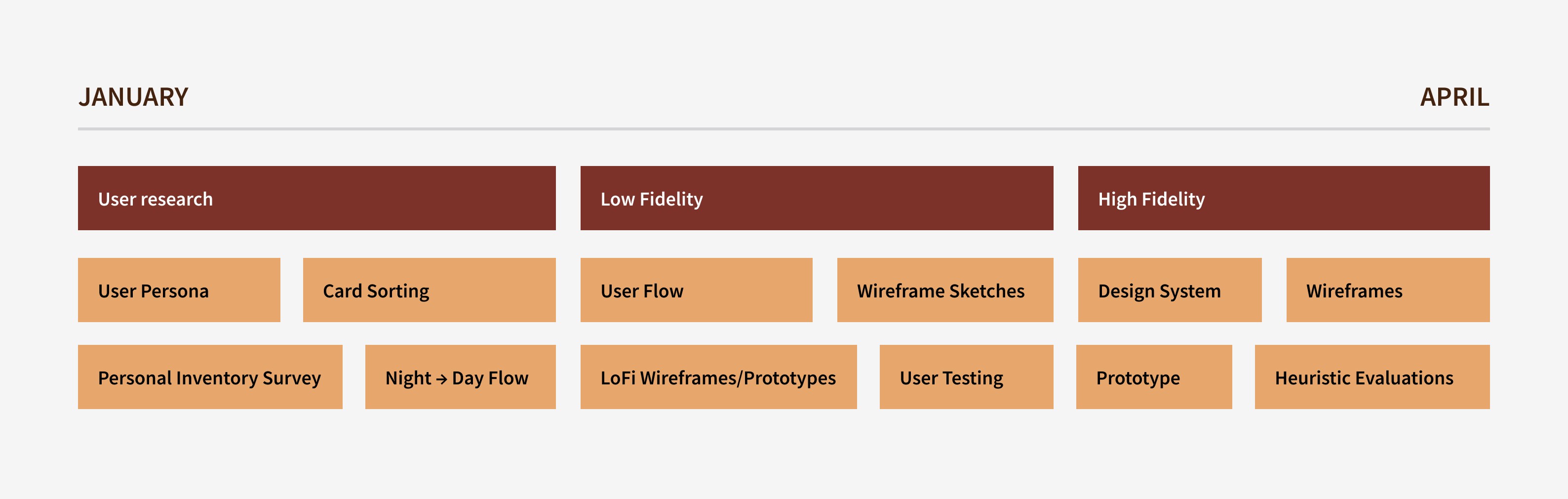
Timeline
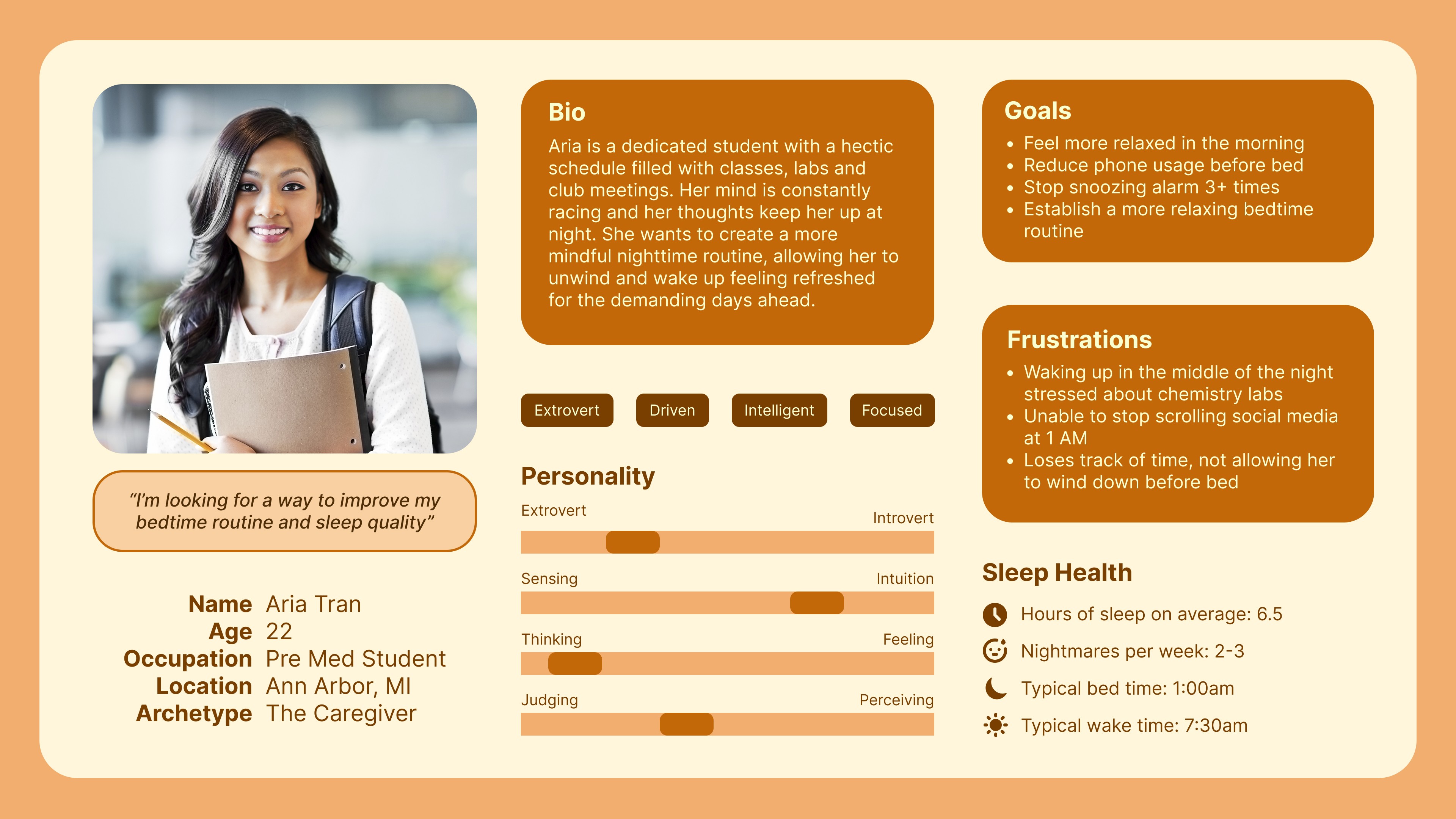
"The Recharge Seekers"
Young adults (Gen Z ages 16-28) who experience stress, anxiety, or irregular sleep patterns due to busy lifestyles. These users are tech-savvy, value wellness beyond just physical, and seek accessible, personalized tools to improve their well-being.
User Persona
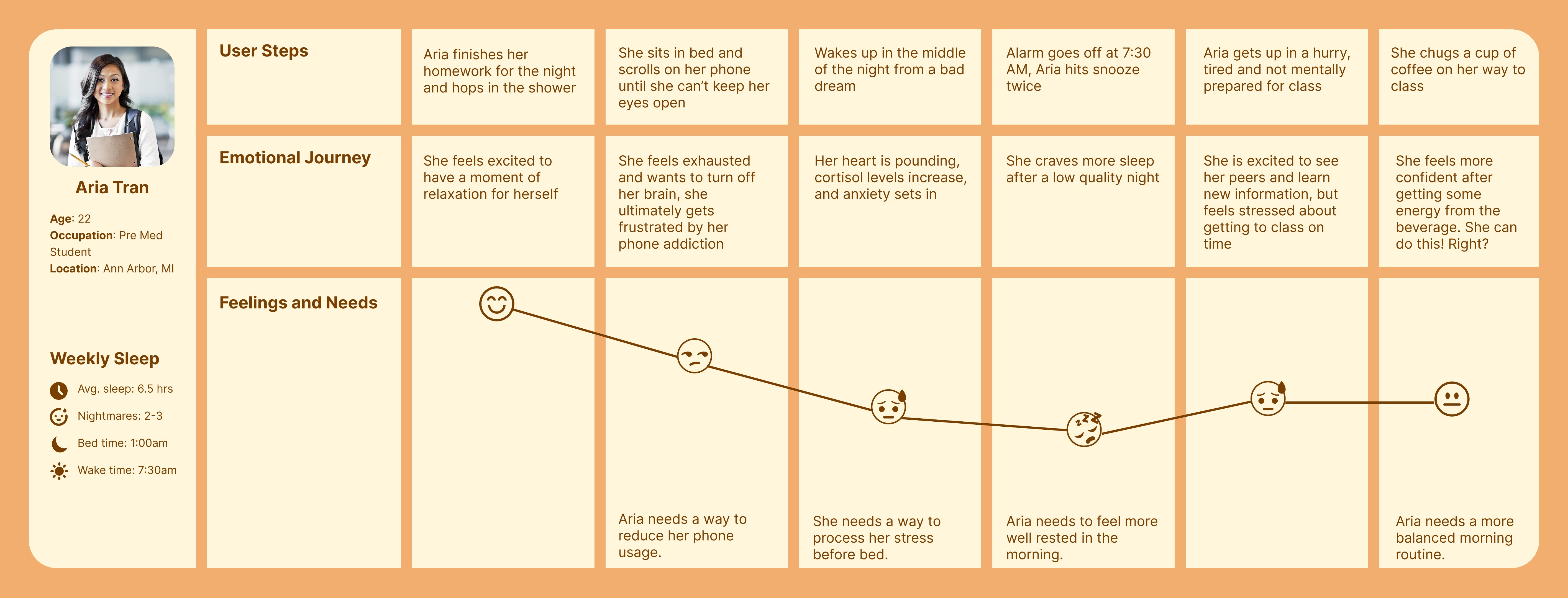
Journey Map
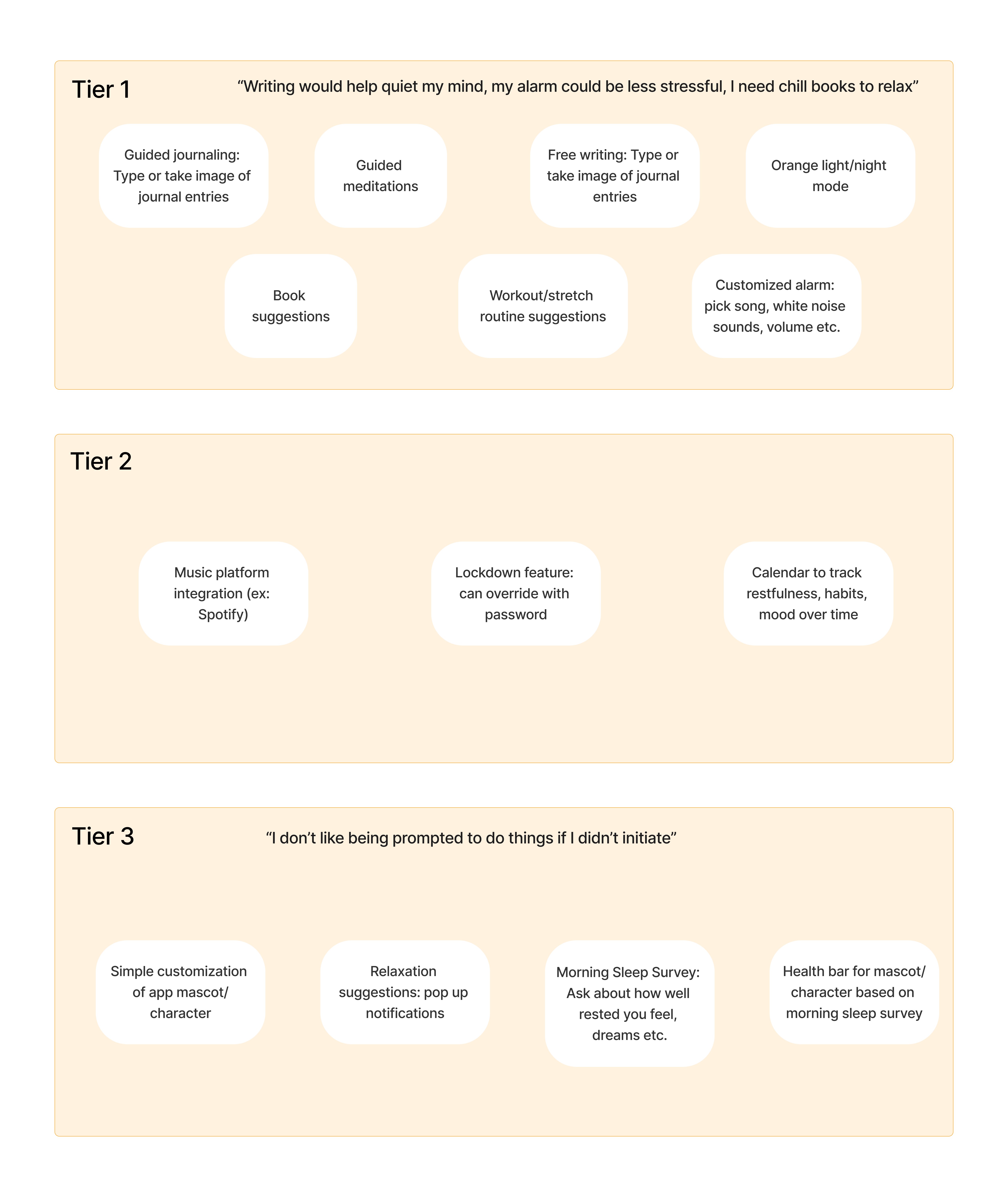
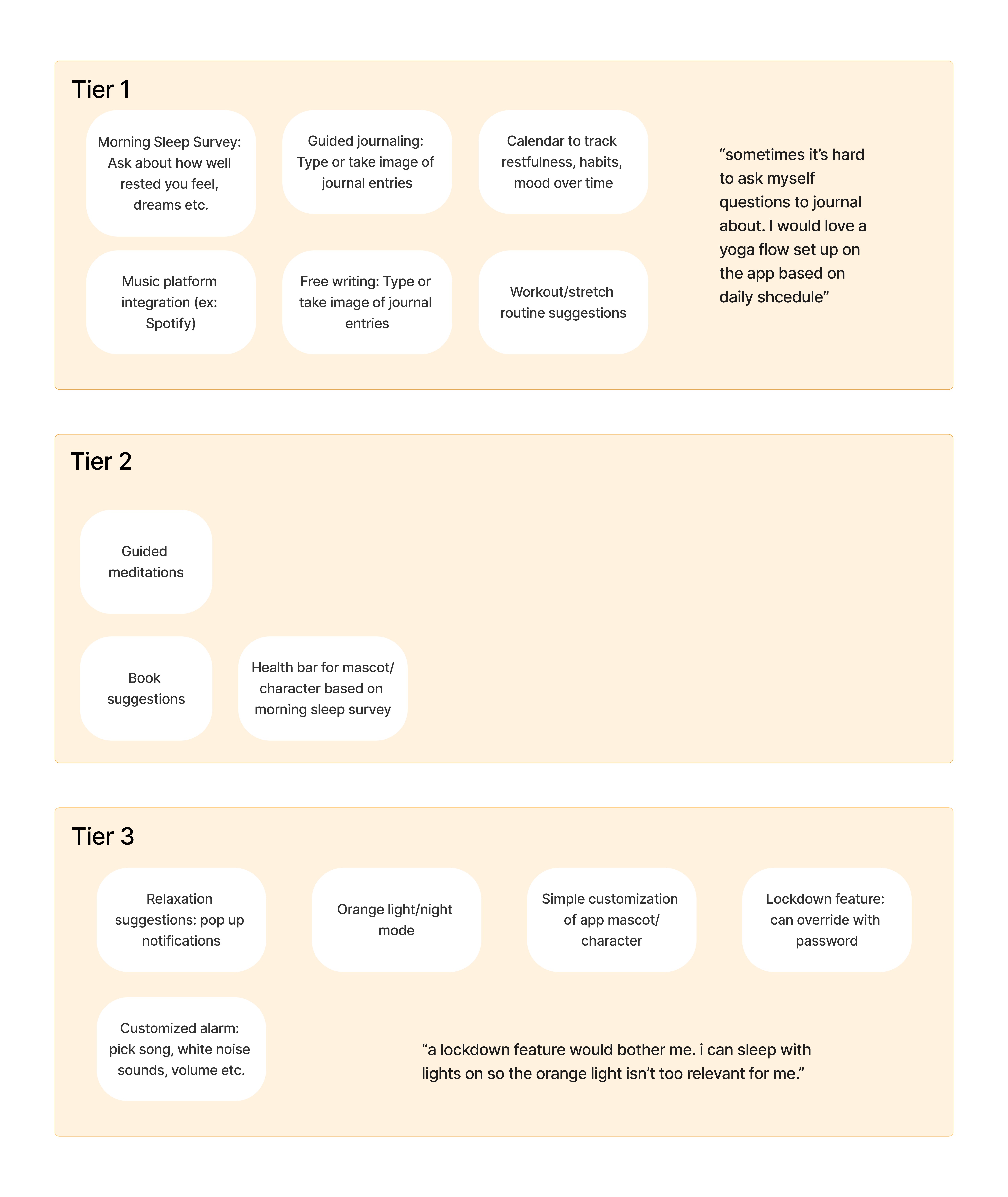
Card Sorting
This helped us eliminate features that were not perceived as helpful or appealing.
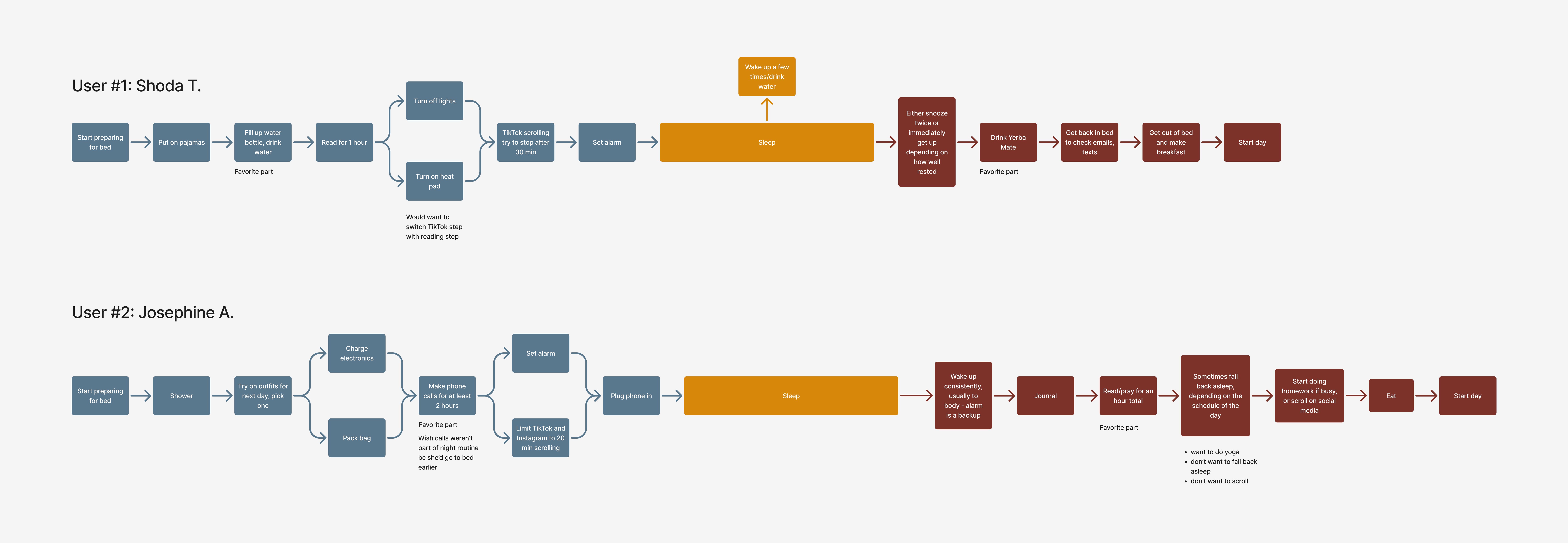
Flow Analysis
This allowed us to get a glimpse into participants' night to morning flows and where experience pain points.
Personal Inventory
This survey (30 responses) allowed us to have a comprehensive view of the different strategies people implement to help them go to bed and wake up.
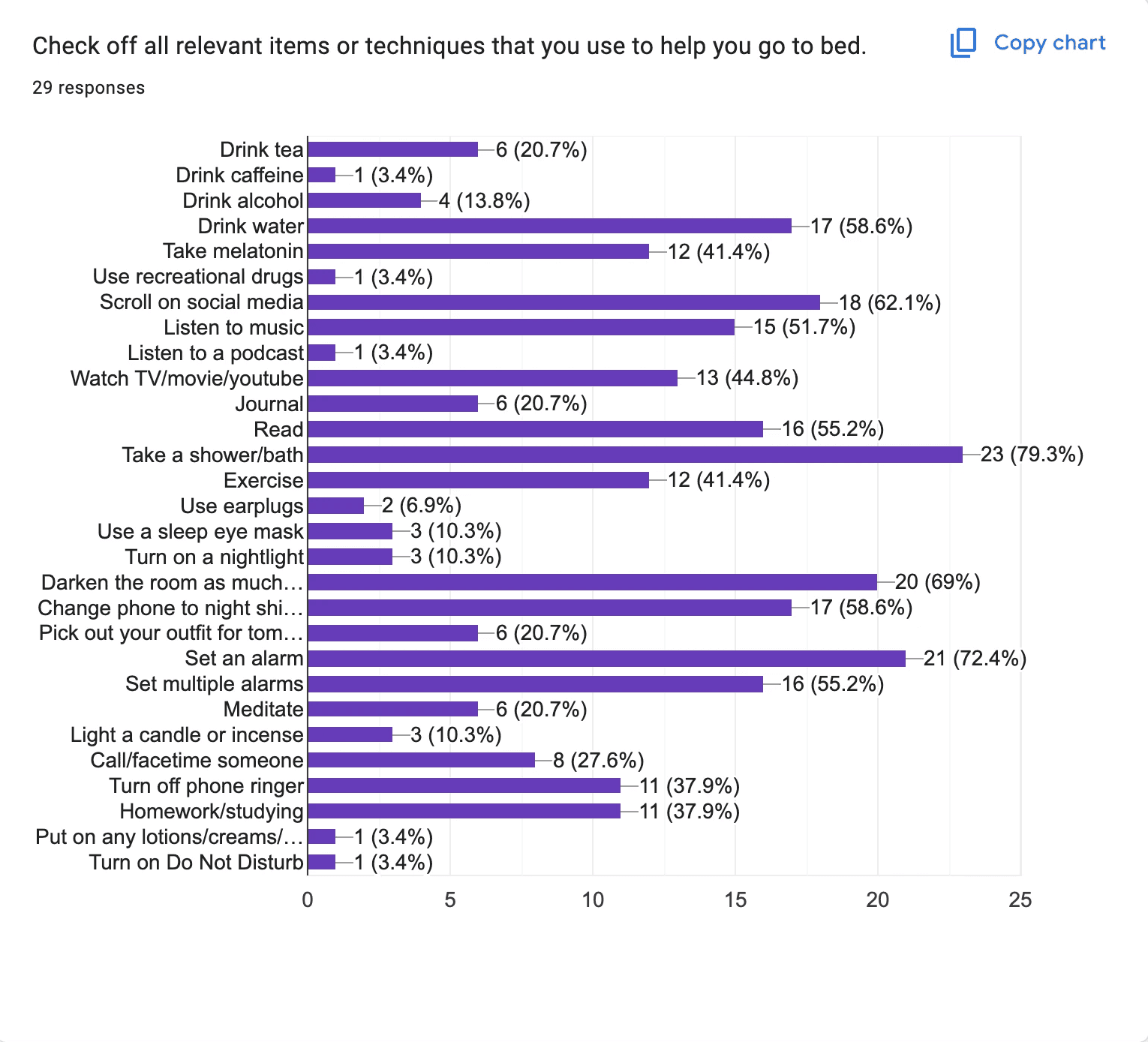
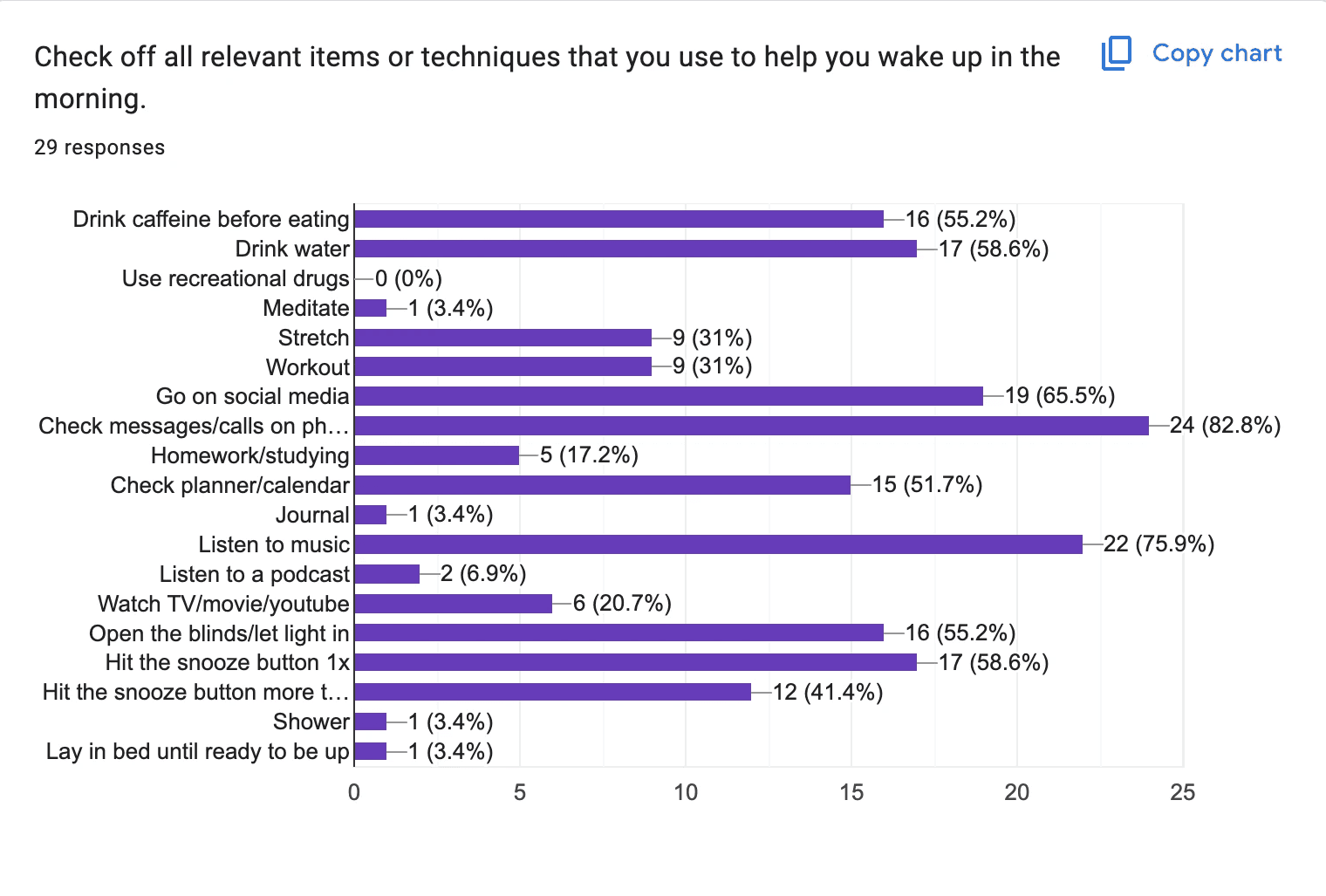
Our high level finding is that sleep is highly personal.
Usability Goals
Help the user establish healthier daily routines
Collect data on a user’s mood and energy levels
Provide resources for relaxation in the form of habits
Highly customize alarm clock settings
Emotional Goals
Feel inspired to prioritize rest
Feel calm at bedtime
Feel accomplished upon waking
Challenge
How can the app feel like a motivational companion instead of just alarms and resources? How can we mitigate phone usage despite the fact that the app is on the phone?
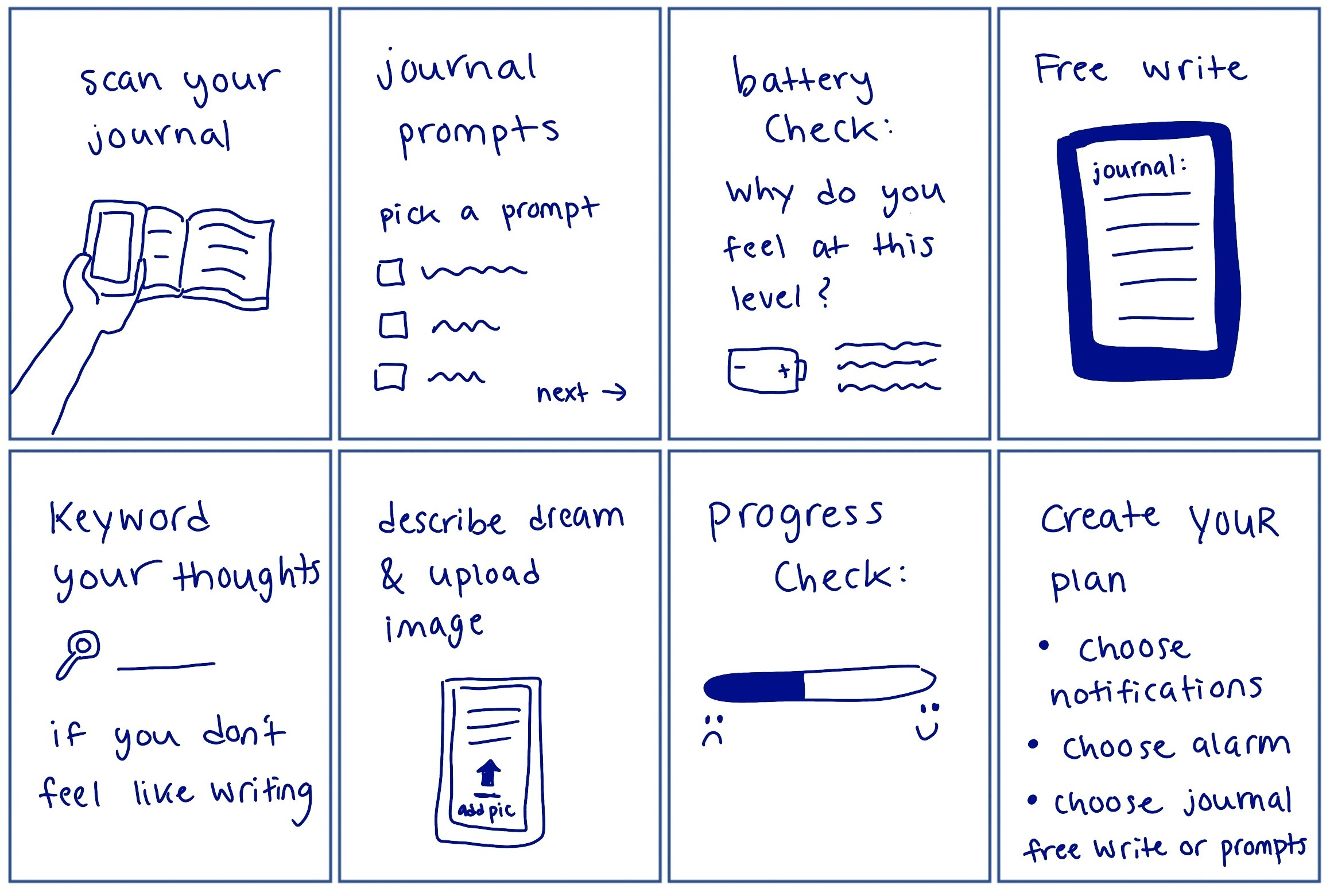
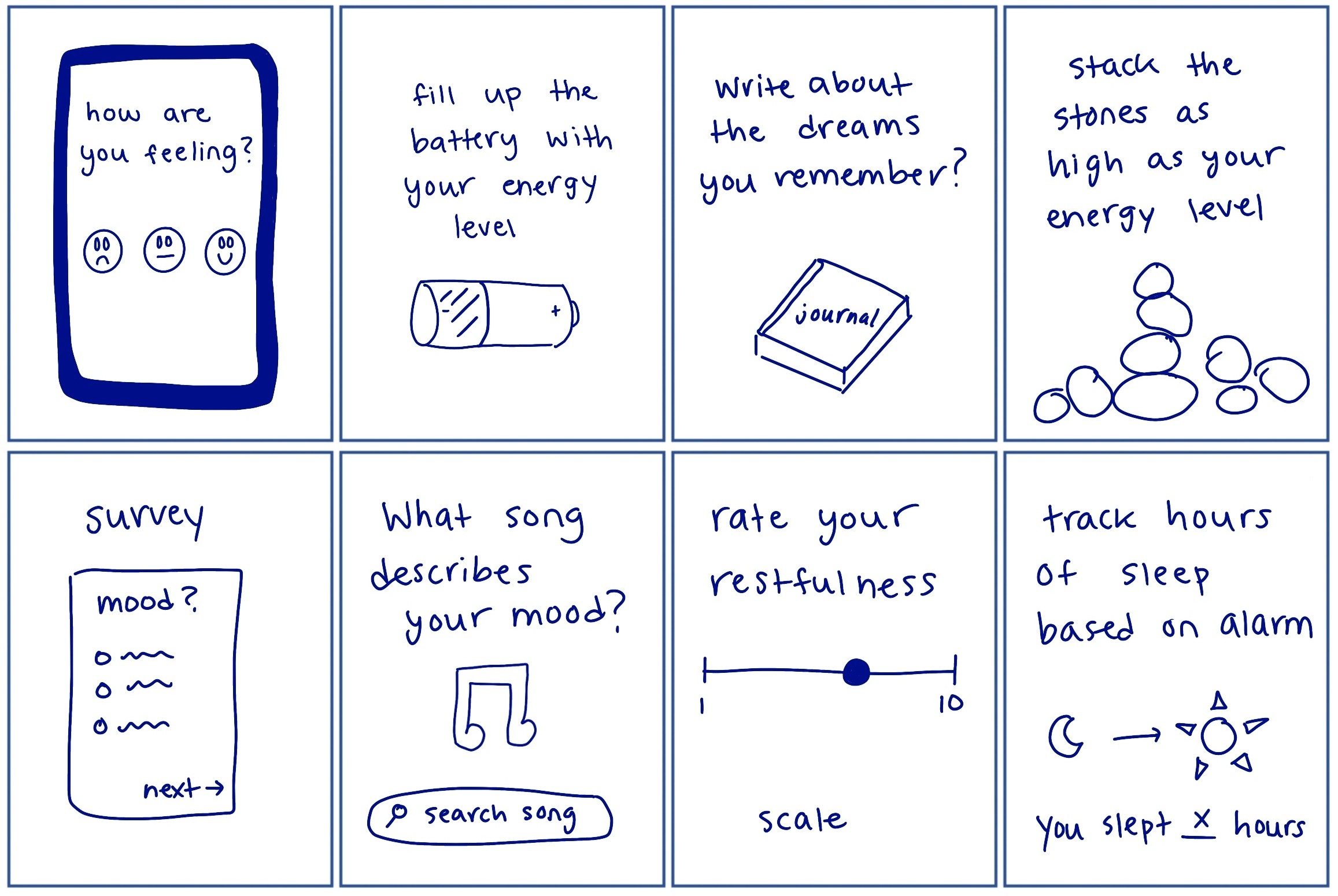
Feature Sketches - Crazy 8s Method
Low Fidelity
Challenges
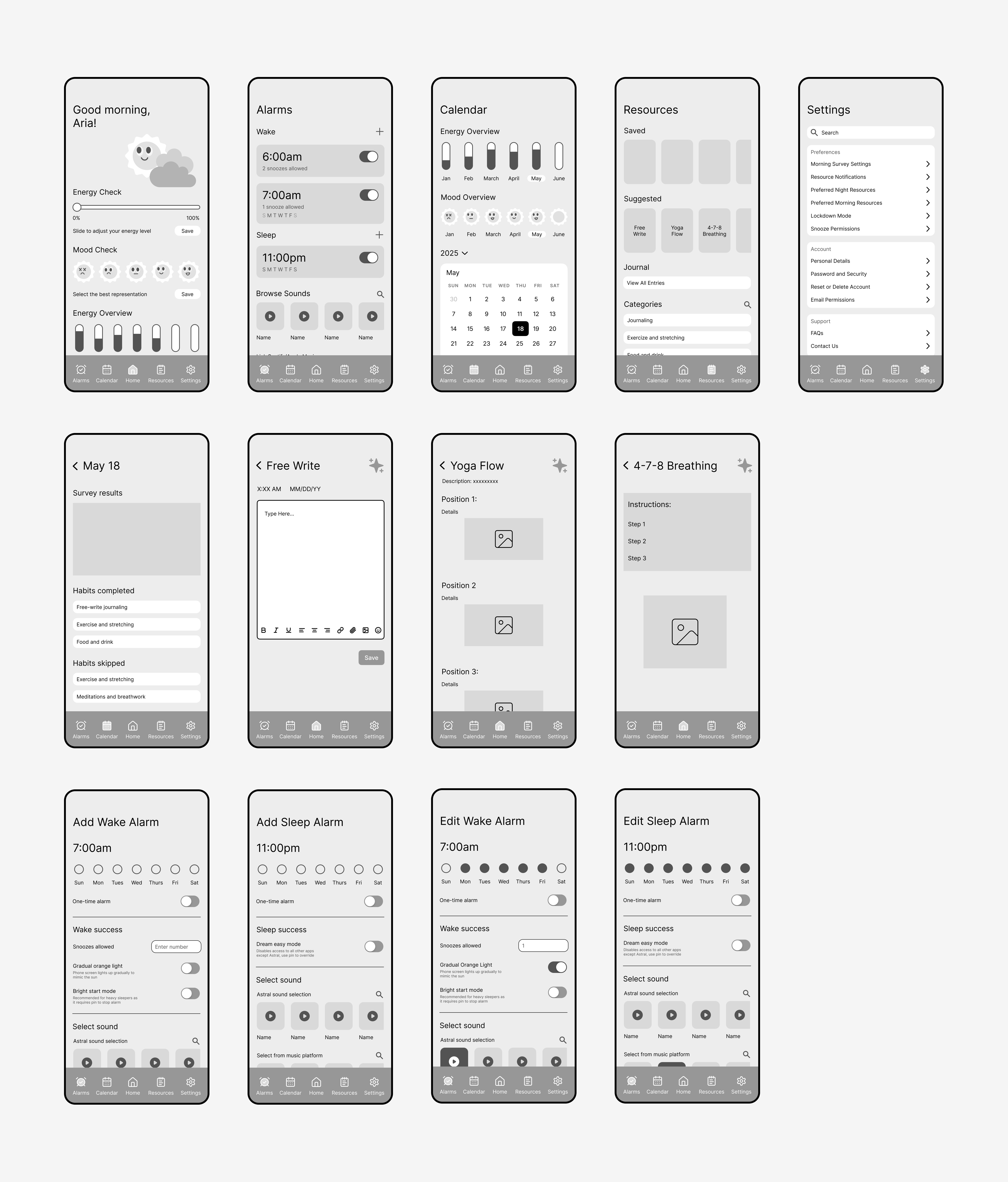
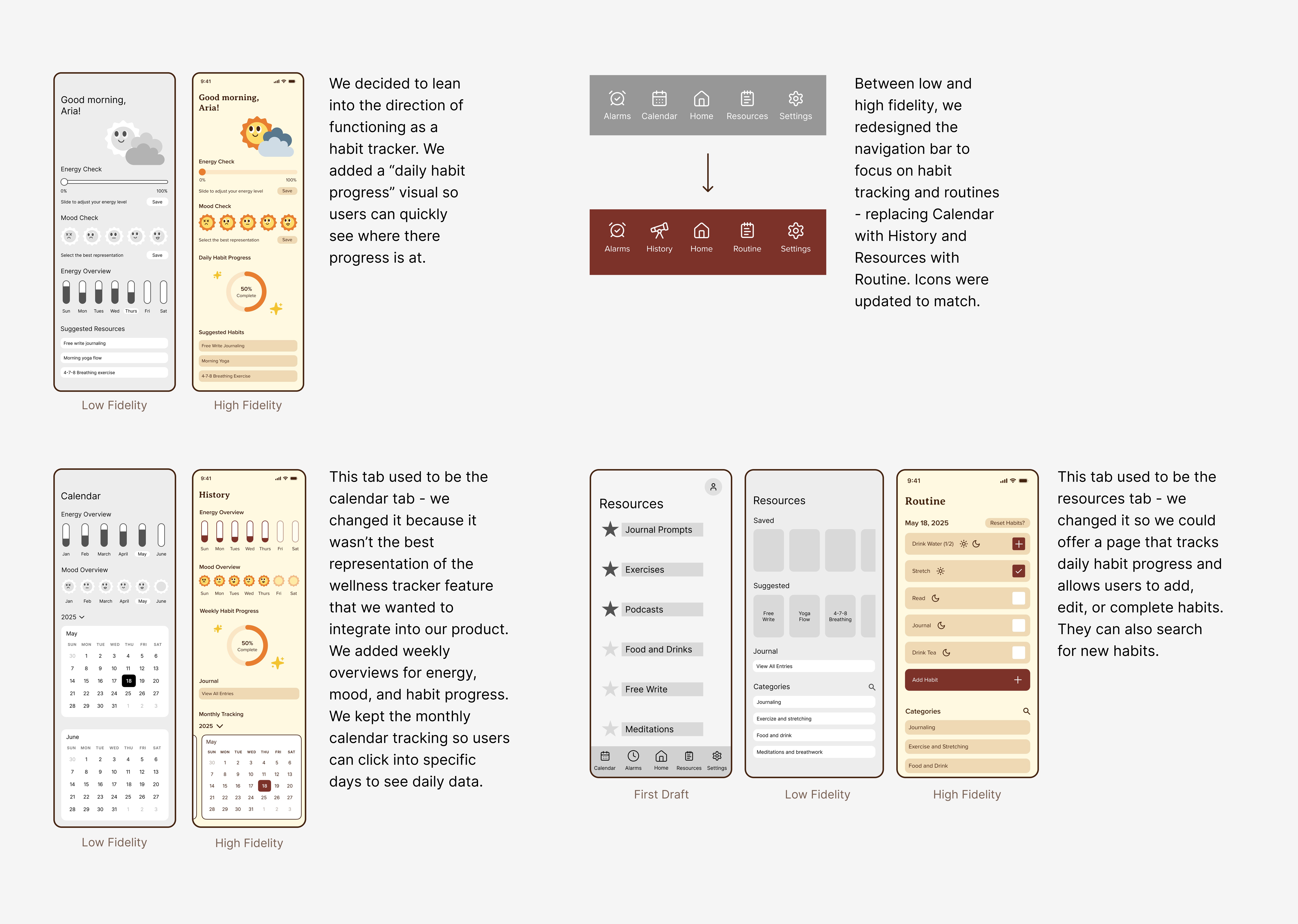
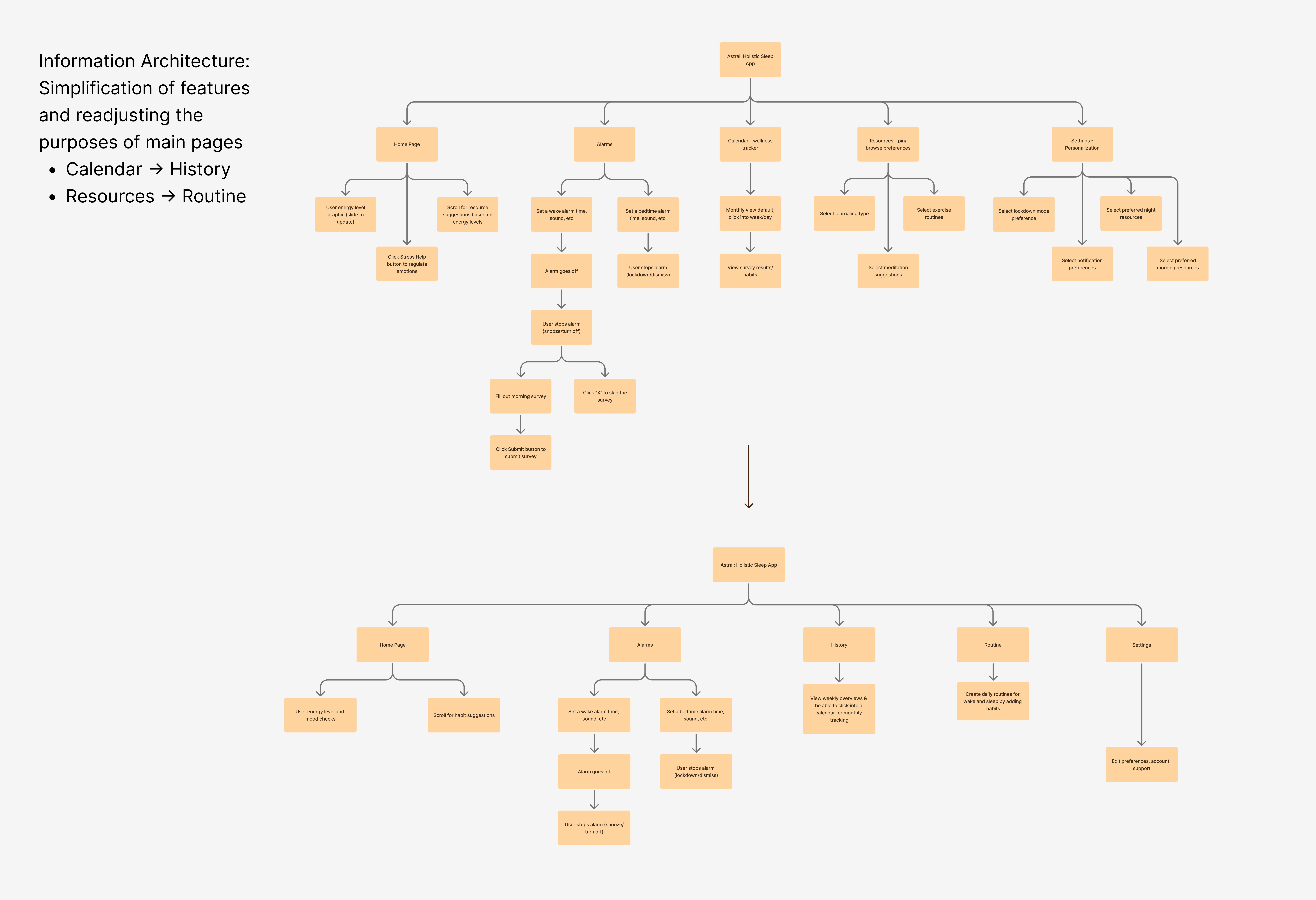
During user testing 1/4 participants were not able to complete the task of "saving" a resource by pressing the star/sparkle icon. Instructor feedback also challenged the effectiveness of key pages (calendar, resources), which didn’t align well with our mission to involve habit tracking. With high-fidelity prototypes due the next class, we had to quickly rethink and redesign.
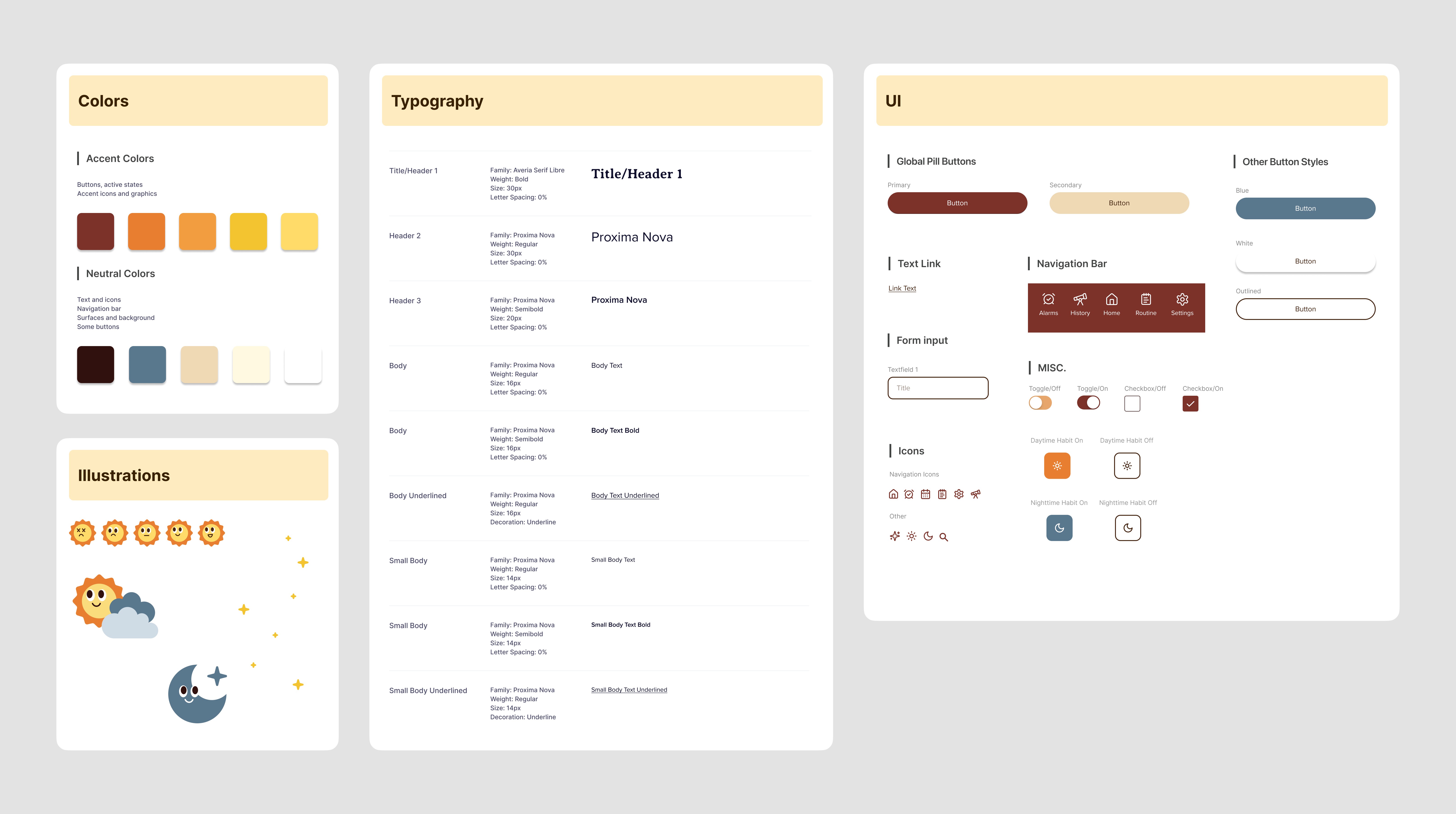
Design System
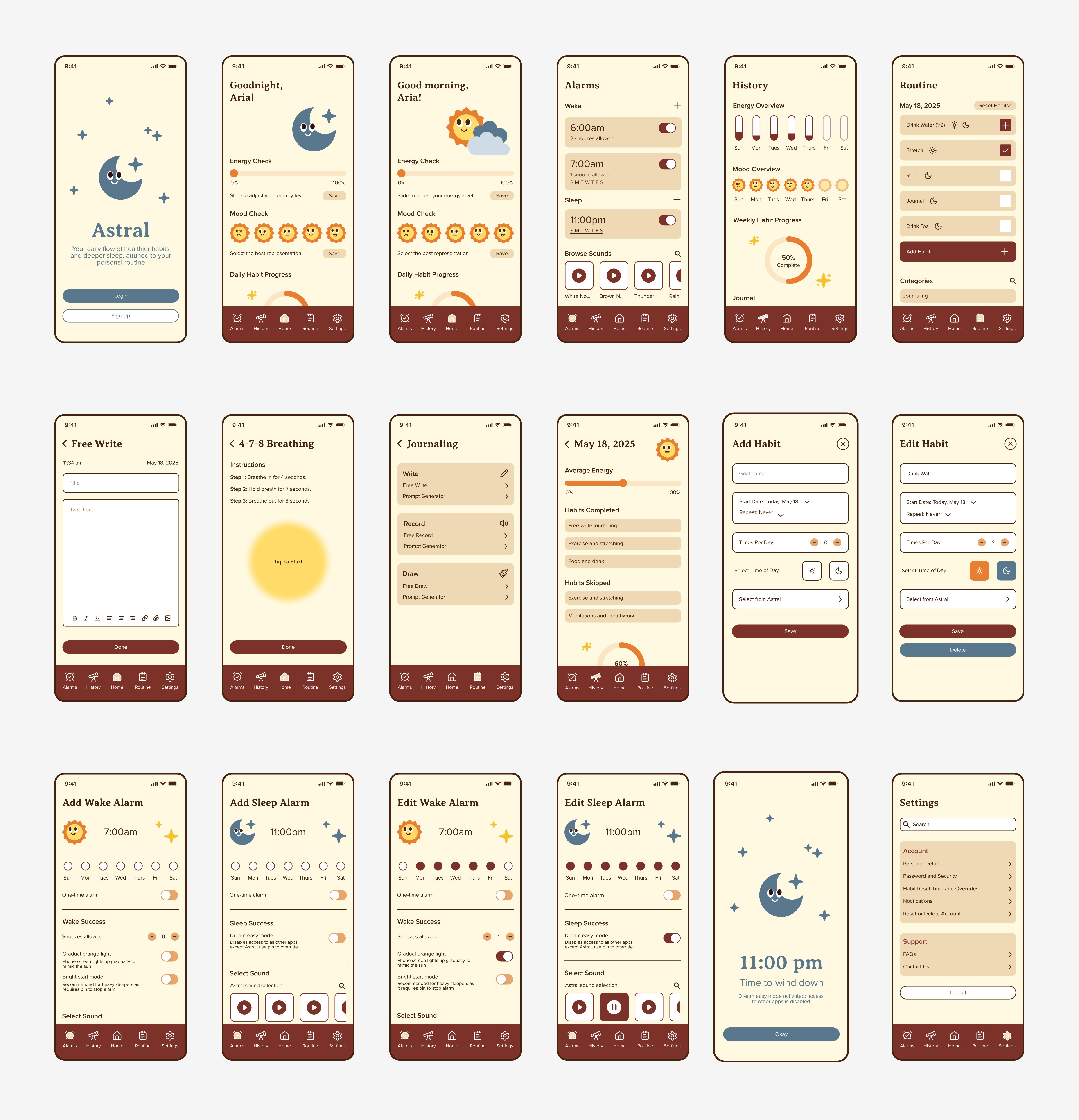
High Fidelity
Design Rationale
Learnings
Be adaptable to feedback: even late-stage changes can lead to a stronger final product. Mission alignment matters: designing with a clear purpose ensured our app better supported user habits. Effective teamwork and communication is crucial when working in a team.
Next Steps
In the future: explore what app notifications look like, how wake alarm notifications would function with snoozes, look into monthly color-coded tracking on calendar, conduct A/B testing to reveal user preferences. Measuring app success: ask users to compare their mood, energy, % of habits completed when they first downloaded the app to weeks/months after using it.